> For the complete documentation index, see [llms.txt](https://qubetics.gitbook.io/qubetics-docs/llms.txt). Markdown versions of documentation pages are available by appending `.md` to page URLs; this page is available as [Markdown](https://qubetics.gitbook.io/qubetics-docs/getting-started/tics-scan-user-guide/faucet-testnet.md).
# Faucet- Testnet
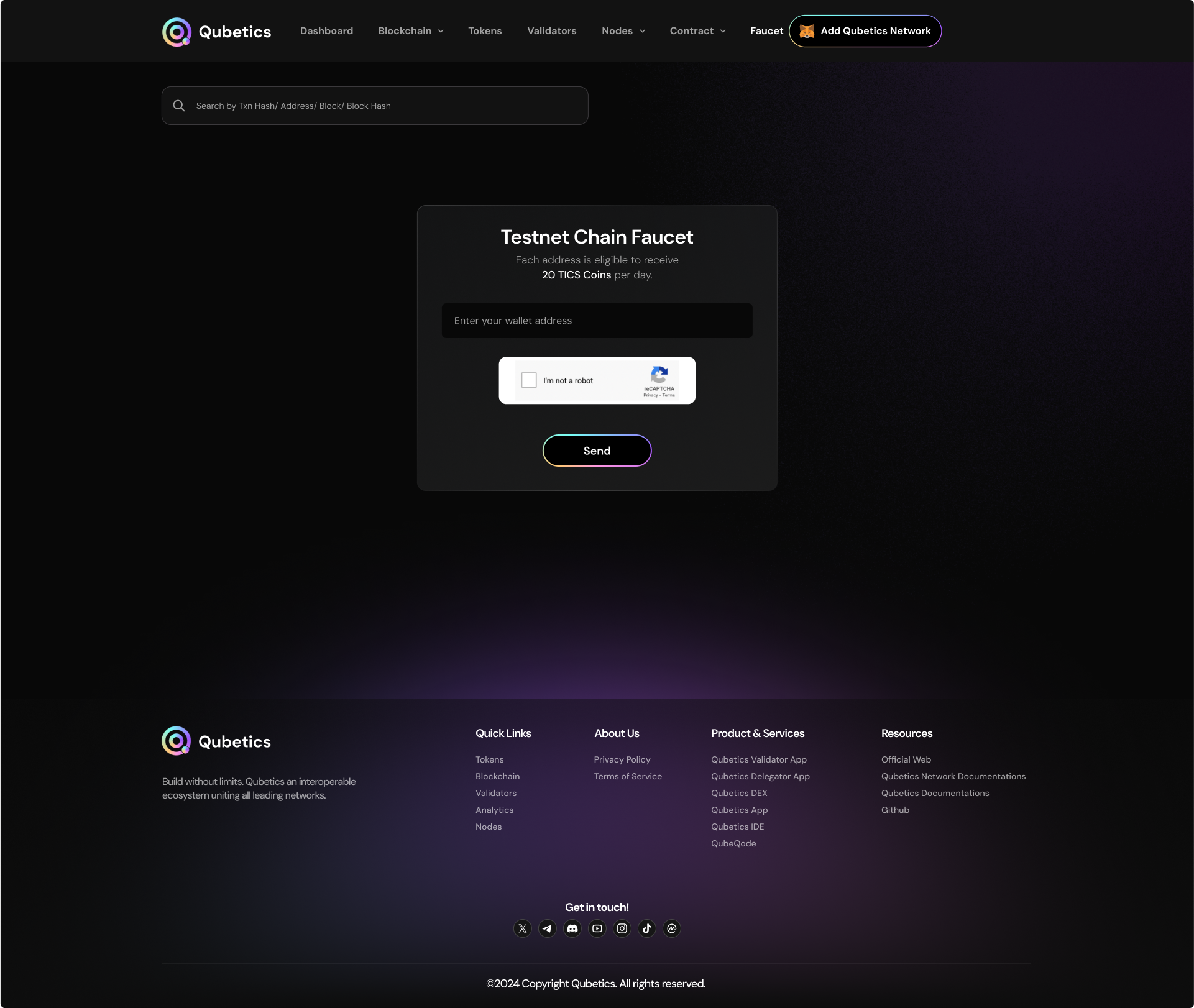
A faucet in a testnet provides free tokens for testing and development. Users submit their wallet addresses to request tokens, which are sent after verifying limits. These tokens have no real value and are used to test transactions, deploy smart contracts, and validate applications in a risk-free environment, helping developers ensure everything works before deploying on the mainnet.
The faucet provides a limited amount of test tokens to developers and users for free. These tokens allow users to:
* Deploy and interact with smart contracts.
* Simulate transactions.
* Test various blockchain functionalities in a risk-free environment.
* Each wallet address can request 20 TICS Coins per day.
### Input Field
\
Enter your wallet address in the designated field to receive test tokens. Ensure the address is valid and belongs to the test network to avoid errors.
### Captcha Verification
\
Complete the reCAPTCHA challenge to confirm that the request is made by a human, preventing automated abuse of the faucet.
### Send Button
\
After entering your wallet address and verifying the CAPTCHA, click the Send button to submit your request. Test tokens will be sent to the provided wallet address upon successful verification.
**Important Notes**
* Ensure your wallet is configured for the Qubetics Testnet before requesting tokens.
* Faucet tokens are for testing purposes only and cannot be used on the mainnet.
---
# Agent Instructions
This documentation is published with GitBook. GitBook is the documentation platform designed so that both humans and AI agents can read, navigate, and reason over technical content effectively. Learn more at gitbook.com.
## Querying This Documentation
If you need additional information that is not directly available in this page, you can query the documentation dynamically by asking a question.
Perform an HTTP GET request on the current page URL with the `ask` query parameter, and the optional `goal` query parameter:
```
GET https://qubetics.gitbook.io/qubetics-docs/getting-started/tics-scan-user-guide/faucet-testnet.md?ask=&goal=
```
`ask` is the immediate question: it should be specific, self-contained, and written in natural language.
`goal` is optional and describes the broader end goal you are ultimately trying to accomplish on behalf of the user. GitBook uses it to tailor the answer towards what is most useful for that goal.
The response will contain a direct answer to the question and relevant excerpts and sources from the documentation.
Use this mechanism when the answer is not explicitly present in the current page, you need clarification or additional context, or you want to retrieve related documentation sections.